How Clipping AI Works
Every run goes through three passes. You only pay in credits for finished shorts.
1. Transcription
The audio track is transcribed with word-level timestamps. Names and product terms can be misheard, so captions stay editable before export.
2. Moment ranking
Each candidate segment is scored for how likely it is to hold attention: a sharp opening, a laugh, a strong opinion, a clean punchline. The highest-scoring segments become your clips. Scores are a ranking aid, not a guarantee.
3. Vertical reframe
The speaker is tracked so the crop stays centered when the video goes from widescreen to 9:16. You can also pick 1:1 or 16:9.
What you pay for
One credit produces one finished short. Buy credits on the pricing page, then run the clip maker. If a run fails, the credits are returned to your account — you only pay for clips you can actually download.
Read the FAQ for common questions, or watch five real shorts this tool returned from one source video (sign in to view).
Supported sources and limits
Paste a public YouTube link, a Vimeo or Twitch URL, or a direct public video URL ending in an actual media file. Private links and anything behind a login cannot be fetched — the tool reads the source the same way a browser would, so it needs a URL it can reach without your credentials.
A source can be as long as a full podcast episode or a stream VOD. One credit buys one finished short regardless of how long the original recording was: a two-hour episode and a five-minute interview both return the same number of clips you asked for. You choose 3, 5, or 10 clips per run in the clip maker; the current credit allowances per pack are on the pricing page.
If you only want one specific moment rather than a ranked stack, this is not the right tool — it is built to scan the whole recording and hand you options. For a precise single cut, use a video editor.
What a run actually produces
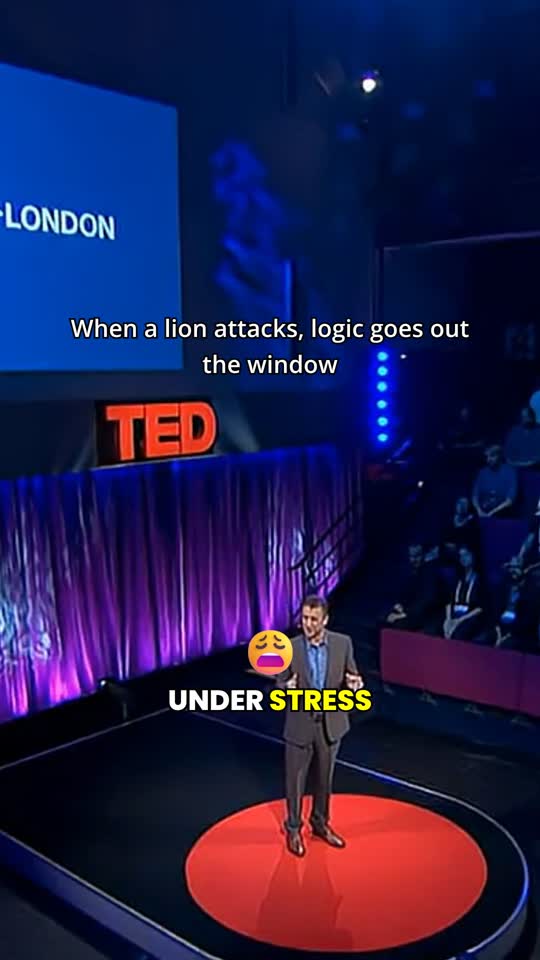
Each result is a finished MP4, vertical by default at 9:16 (Shorts, Reels, TikTok). You can also choose 1:1 for feed posts or 16:9 if you want a landscape cut. The crop follows the speaker, so a face that started in the corner of a widescreen frame stays in view when the output goes vertical.
Captions are burned into every clip and stay editable line by line before you export. A misheard name or product term takes seconds to fix instead of forcing a re-render. There is no watermark on the exported file.
You preview the whole stack before downloading anything. The score beside each clip is a ranking aid from the moment-ranking pass, not a promise about how it will perform — open a clip and watch it before you post. To see what a real output stack looks like, watch the five sample shorts after signing in.

When a run fails
Failures are refunded automatically. If the source cannot be reached, the clipping service times out, or no usable clips come back, the credits spent on that run go back to your account and nothing is charged for output you never received. You only pay for finished shorts you can preview and download.
Common reasons a run fails: a URL that requires a login, a dead or private link, or a source with no clear speech for the transcriber to work with. In each case, fix the input and run again — see the FAQ for more on source requirements, or check pricing for credit packs.
Clipping AI vs cutting it by hand
Doing it yourself means: download the source, scrub a two-hour timeline hunting for the good ninety seconds, cut each moment, reframe the crop from widescreen to vertical by hand, transcribe or caption, then export one file at a time. That is an afternoon for a single episode.
With Clipping AI you paste one URL, pick how many clips you want, and review a ranked stack when it finishes. The transcription, scoring, and reframing passes happen without you touching a timeline. You still make the final call — open each clip, fix a caption if needed, then export — but the hunt is gone.
The tradeoff is judgment: the tool ranks what looks worth cutting, not what your audience will definitely share. Treat the scores as a shortlist. That is why preview and caption editing stay in the workflow rather than being hidden behind a one-click export.
One more difference: consistency. A human editor gets faster with your format but still starts from a blank timeline each episode. Here, every run starts from the same three passes, so a five-clip stack from your first video and your fiftieth are produced the same way. What changes is the source material, not the process — which makes it easier to keep a posting schedule when you have a weekly show to repurpose.
Next step
Open the clip maker with credits in your account, or buy a credit pack. There is no free trial. Want to see the output quality before paying? Sign in and watch five real clips.